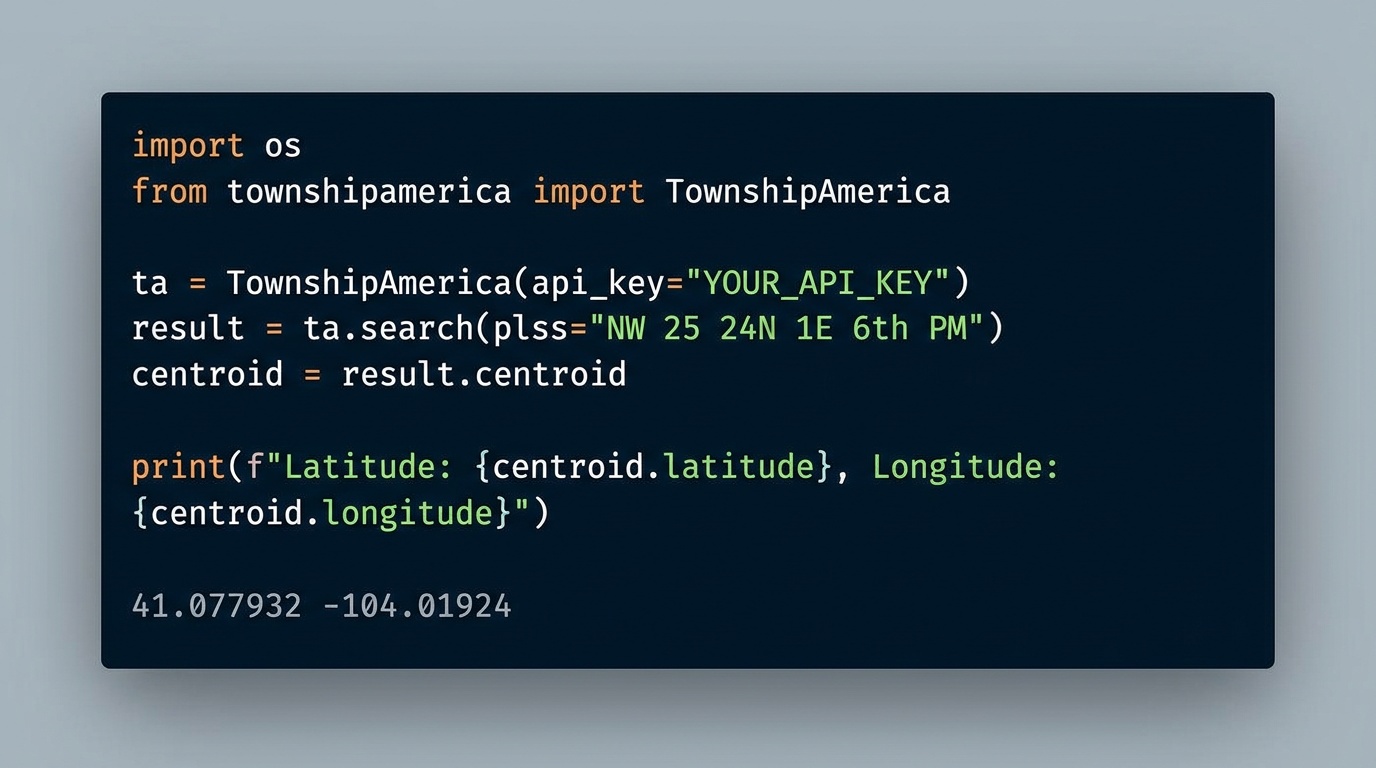
Python SDK for PLSS: pip install townshipamerica
The townshipamerica Python SDK brings PLSS-to-GPS conversion to PyPI. Typed models, async support, and batch endpoints for GIS developers and land tech teams.
You have a list of 200 well locations from an APD filing in Wyoming. Each one reads something like "T4N R5E Sec 12 NE, Wind River Meridian." You need GPS coordinates for every one of them, in Python, in a pipeline that runs nightly. The options until now: write raw HTTP calls to a PLSS API and handle auth, pagination, error codes, and GeoJSON parsing yourself, or use pyTRS, the only existing Python PLSS library, which has a non-commercial license, no geocoding, and is not even on PyPI.
Neither option is good. So we built a better one.
pip install townshipamerica: the first commercially-licensed Python library for PLSS-to-GPS conversion with geocoding. MIT license, typed Pydantic v2 models, sync and async clients, batch endpoints. Python 3.9 through 3.13. All 30 PLSS states, all 37 principal meridians.
What the Python SDK does
The townshipamerica Python SDK wraps the Township America REST API in a fully typed client. Instead of constructing URLs, setting headers, and parsing raw JSON, you get:
- Sync and async clients:
TownshipAmericafor scripts and notebooks,AsyncTownshipAmericafor web services and async pipelines - Pydantic v2 response models:
FeatureCollection,Feature,Point,MultiPolygonwith convenience properties like.centroidon collections and.latitude,.longitudeon points - Typed exceptions: mapped directly to HTTP status codes (401 unauthorized, 404 not found, 429 rate limit)
- Five endpoints:
search,reverse,autocomplete,batch_search,batch_reverse
Four lines to a GPS coordinate:
from townshipamerica import TownshipAmerica

client = TownshipAmerica(api_key="your-api-key")
result = client.search("T4N R5E Sec 12 NE Wind River Meridian")
print(result.centroid.geometry.latitude, result.centroid.geometry.longitude)
No URL construction. No JSON parsing. No auth boilerplate.
Real-world example: O&G well locations in Wyoming
A land tech team processing APD filings in the Wind River Basin needs to geocode a batch of PLSS descriptions and plot them on a map. This is a common workflow in oil and gas, and one that the SDK makes trivial. Here is how that looks with the townshipamerica Python SDK and GeoPandas:
from townshipamerica import TownshipAmerica
import geopandas as gpd
from shapely.geometry import Point

client = TownshipAmerica(api_key="your-api-key")

# APD well locations, Wyoming, Wind River Meridian
wells = [
    "T4N R5E Sec 12 NE Wind River Meridian",
    "T4N R5E Sec 13 NW Wind River Meridian",
    "T3N R4E Sec 1 SE Wind River Meridian",
    "T5N R6E Sec 24 SW Wind River Meridian",
]

# Batch convert, up to 100 locations per request
results = client.batch_search(wells)

# Build a GeoDataFrame
features = []
for fc in results:
    centroid = fc.centroid
    features.append({
        "description": centroid.properties.legal_location or "",
        "geometry": Point(centroid.geometry.longitude, centroid.geometry.latitude),
    })

gdf = gpd.GeoDataFrame(features, crs="EPSG:4326")
gdf.to_file("wyoming_wells.geojson", driver="GeoJSON")
That is a complete workflow: PLSS descriptions in, GeoJSON file out, ready to load into QGIS, ArcGIS, or any mapping tool. No manual coordinate lookups, no spreadsheet wrangling. The batch endpoint handles up to 100 locations in a single request. For a detailed walkthrough of how land departments are plugging this into their APD filing process, see how landmen are using the PLSS API for APD workflows.
Why not pyTRS?
pyTRS is the only other Python library that parses PLSS descriptions. It has been around for a few years and has about 22 stars on GitHub. But it has three gaps that make it a non-starter for most professional workflows:
- Non-commercial license. If you are building a product, an internal tool at a company, or anything that is not strictly personal and non-commercial, pyTRS's license does not permit it.
- No geocoding. pyTRS parses the text of a PLSS description into its component parts (township, range, section, quarter). It does not return GPS coordinates. You still need a separate geocoding step.
- Not on PyPI. You cannot
pip installit. Installation requires cloning the repository manually.
The townshipamerica Python SDK fills all three gaps. MIT license: use it in commercial products. Returns GPS coordinates (latitude, longitude, centroid, polygon boundaries) from official BLM data. Available on PyPI with standard pip install. For a full comparison and quick-start examples, see the Python PLSS SDK developer page.
Async support for web services
If you are building a web application or an async data pipeline, the SDK includes AsyncTownshipAmerica:
from townshipamerica import AsyncTownshipAmerica

async def geocode_description(description: str):
    client = AsyncTownshipAmerica(api_key="your-api-key")
    result = await client.search(description)
    return result.centroid
Same typed models, same convenience properties, same exception handling, just with await.
Getting started
- Install the SDK:
pip install townshipamerica
- Get an API key from townshipamerica.com/api. See the API pricing page for current plans.
- Read the docs. The README on PyPI includes complete examples for search, reverse geocoding, batch conversion, and GeoPandas integration.
If you are new to the township and range system, Township America covers all 30 PLSS states and all 37 principal meridians, from the Wind River Meridian in Wyoming to the Indian Meridian in Oklahoma to the Mount Diablo Meridian in California.
For teams that prefer a visual tool over code, the PLSS converter on the web app does the same conversions with an interactive map. The SDK is for when you need it in a script, a pipeline, or a product.
Building an AI assistant instead of a script? The same package ships an MCP server that hands PLSS lookup to any AI agent: install it with pip install townshipamerica[mcp] and your agent converts legal descriptions mid-conversation.
The Python PLSS ecosystem just got its first production-ready, commercially-licensed library. Get your API key and start building.